Storybooks: How to Use Gemini Storybook in Your Projects
Discover how Gemini Storybook, Google's AI tool, can transform communication and engagement in your projects, training and team

As a project leader, you know that communication is one of the keys to your projects' success. Knowing how to get the essence of the message across to your audience is essential. With that in mind, the first thing to do is think about the audience that will receive the information.
Some communication formats in projects:
- Presentations
- Videos (short and long)
- Direct chats (Google Chat, Teams, Slack...)
- Group chat
- Printed
Each audience has its own preference for consuming information in a given format. Today, I'm sharing an excellent option with you: the Storybook.
Telling stories is one of the best ways to engage people, don't you agree? We all have good stories to tell.
Gemini Storybook
The challenge of communicating and engaging
Now you can swap slides for chapters.
Whether it's training the team on a new process, presenting an organizational change, running training sessions, or simply passing along important information, the old routine of slides and long blocks of text can be a challenge.
Getting people's attention is getting harder, after all, we're bombarded with information from every direction, all the time, right?
How you communicate changes the game. Here's a practical example of communication within a project.
Applying it to real projects
Scenario:
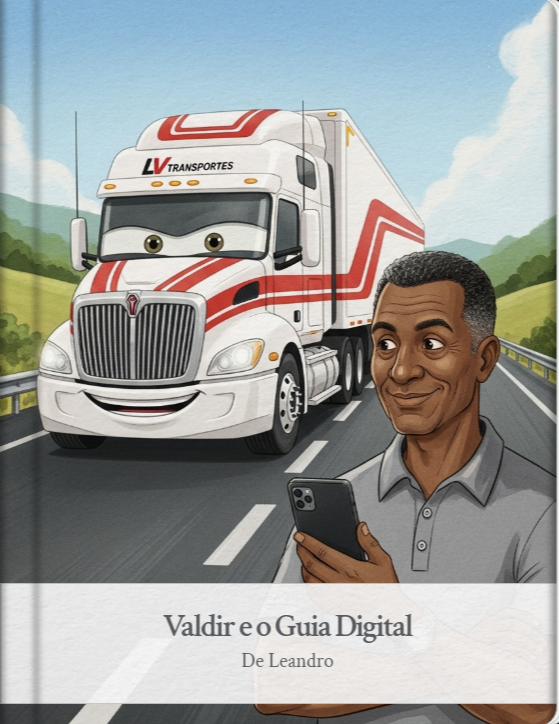
you need to train an audience of truck drivers on the new features of an app they use to organize their cargo transport.
Teaching them about the new features is crucial so they know how to use it and the organization gets the information it needs in time, but the presentation is full of text and bullet points that, honestly, nobody will remember the next day.
The usual result:
you won't get engagement and you'll probably run into resistance to using it (without even knowing that one of the reasons was how it was communicated).
The idea:
Turn that training into a story. Instead of a monotonous presentation, we can create a journey where the characters face the challenge of overcoming the shift in paradigm and the way things are currently done.
That's the idea behind Gemini Storybook, a feature that uses artificial intelligence to create illustrated stories with audio from prompts. It transforms the way you communicate, making information absorbed in a much lighter, more engaging way.
How to create your own Storybook in 5 minutes
Gemini Storybook is a tool available directly inside Gemini, the AI assistant in Google Workspace. It lets you create interactive content in just a few clicks. Here's how simple it is:
-
Open Gemini.
-
In the prompt field, type the Storybook creation prompt.
-
Example from my project: "Create a training story about the new APP for truck drivers who aren't familiar with the system. Use the attached presentation (my training material) to explain it in story format. Create characters that evoke trucks and drivers, with predominant colors of red, white and gray."
-
Click here and see the result of the Storybook example above.
Gemini will generate the story, with text and illustrations. You can ask it to refine, add or remove elements, until the story is just the way you want it.
The generated Storybook will be available to listen to, print or share with your team, and can be accessed from any device.
Conclusion: stories that get results
Storytelling is one of the most powerful skills a leader can develop. Gemini Storybook puts that skill within everyone's reach, letting you swap presentations for narratives that actually make an impact.
A great idea deserves a good story. What will yours be? Start creating your first story to engage the team, train new hires, or even just have some fun with your team.
Drop a comment below on where you applied it and what you thought of this feature!
If you liked this tip, don't forget to share it with your network.
Take care!