NotebookLM in Project Management: Do You Use It?
Discover how Google's NotebookLM simplifies consolidating documents, presentations, and files to revolutionize your project management.
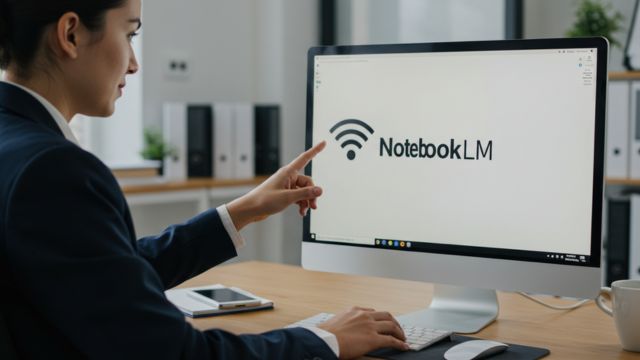
If you lead projects, you know that consolidating information is one of the most time-consuming parts of our day-to-day work. Reports, meeting minutes, emails, contracts, proposals, project presentations. The volume of data keeps growing and it's harder to track and organize it into useful information, right?
The routine of "digging" for information eats up valuable hours of our day. We spend a good chunk of our time reading long documents, looking for a specific piece of data we know is in there somewhere, but can't find quickly.
To consolidate a lot of documents, from various different media, like documents, presentations, PDFs, web pages, YouTube videos and even audio, NotebookLM will help you automate this information-extraction process and present it in an organized way.
What NotebookLM sets out to do
Google built this AI tool with the goal of being a learning and research assistant, with the differentiator of delivering reliable answers.
That claim of reliable answers comes from the fact that NotebookLM uses your own sources to answer. In practice, instead of searching the internet, it's designed to work with your own knowledge base, which ensures the answers are accurate and relevant to your context. It's that old saying, good inputs can produce good outputs, and the opposite is certainly just as true.
Beyond search
NotebookLM isn't limited to keyword search, it understands the nuances of your question and gives you the answer, always with precise citations that take you back to the original material.
It works like an assistant who's already read and memorized all your documents and is ready to give you the exact answer whenever you need it. For example: after uploading one of your project's contracts, you can ask: "What's the contract term?"; "What are the termination clauses in this contract?"; "What's the renewal period?"; "Does the contracting party pay a penalty in case of termination?" It'll bring you the answers with the reference in the document.
Now, imagine you've just taken on a new project and from the very start you begin uploading its documents, like drafts, presentations, meeting minutes, technical specs, requirements lists, proposals and contracts.
You keep feeding everything into NotebookLM's repository, and as the project moves forward your knowledge base keeps getting better. After that, you just ask what you need.
How NotebookLM works
You can use it to:
- Ask questions about the content
- Generate summaries of long documents
- Create content for your projects
- Brainstorm
- Listen to audio
Step by step to use it on your projects:
- Organize your data source as computer or Drive folders.
- You'll start by separating out the files relevant to your project. Put them in a folder or copy the path of the files that are in your Google Drive.
- Go to NotebookLM, available on business and education plans.
- You can upload various file types from your computer or Google Drive (Docs, Slides), PDFs, text files, or even YouTube video links and web pages, the tool also accepts MP3 files
- You'll create a new notebook and start uploading files and links.
💡Tip 1:
Create separate notebooks for different projects, departments or research areas. For example, create one for each: Project 1, Project 2; for study: have one for Agility, one for Leadership, one for OKRs.
💡Tip 2:
Add quality, reliable sources. Mix media like text, video, web to make it richer. If you have a draft file with poorly validated, unreliable information, avoid uploading it.
Once the sources have been processed, you can start interacting with them.
💡Tip 3:
Avoid generic questions and be as specific as possible to get more useful answers. For example, instead of "what are the market trends?", ask: "what are the three main market trends identified in this report?".
You can also ask for summaries, like "summarize the detailed financial projections for the project contained in this document".
💡Tip 4:
Maintenance: every so often, review your notebooks to update them. Remove anything that's no longer relevant.
💡Tip 5:
Explore the 'Studio' features:
In the "Studio" tab, on the right side of the screen, you can go beyond questions. Generate audio summaries to listen to the content while doing other activities, create project timelines or even FAQs based on your sources.
Conclusion:
Google's NotebookLM is here to transform the way we interact with our information.
It doesn't just help us find data quickly, it frees us from the daily "digging" so we can spend our time and energy where they actually make a difference: with people and in the project's success. After all, this technology is just the means to achieve something even bigger, and with this tool, project management becomes smarter.
Want to dig deeper into how technology can simplify your life as a project leader? Also check out this article where I teach you how to protect information in Google Drive (see it here):
If you liked the article, share it with a coworker to help them out!
Take care!